

Artist Showcase: Chandrashekhar Thakare
The Story Behind the Winning Artwork "Echoes That Awoke the Cursed One"
When we launched the Shapelab x Blender Challenge in October 2025, we asked artists to capture the essence of “The Darkest Night of the Year.” A seasoned artist with over a decade of experience, Chandrashekhar Jayaram Thakare utilized a sophisticated hybrid workflow to create the winning piece that perfectly embodies the “encroaching dread” of winter.
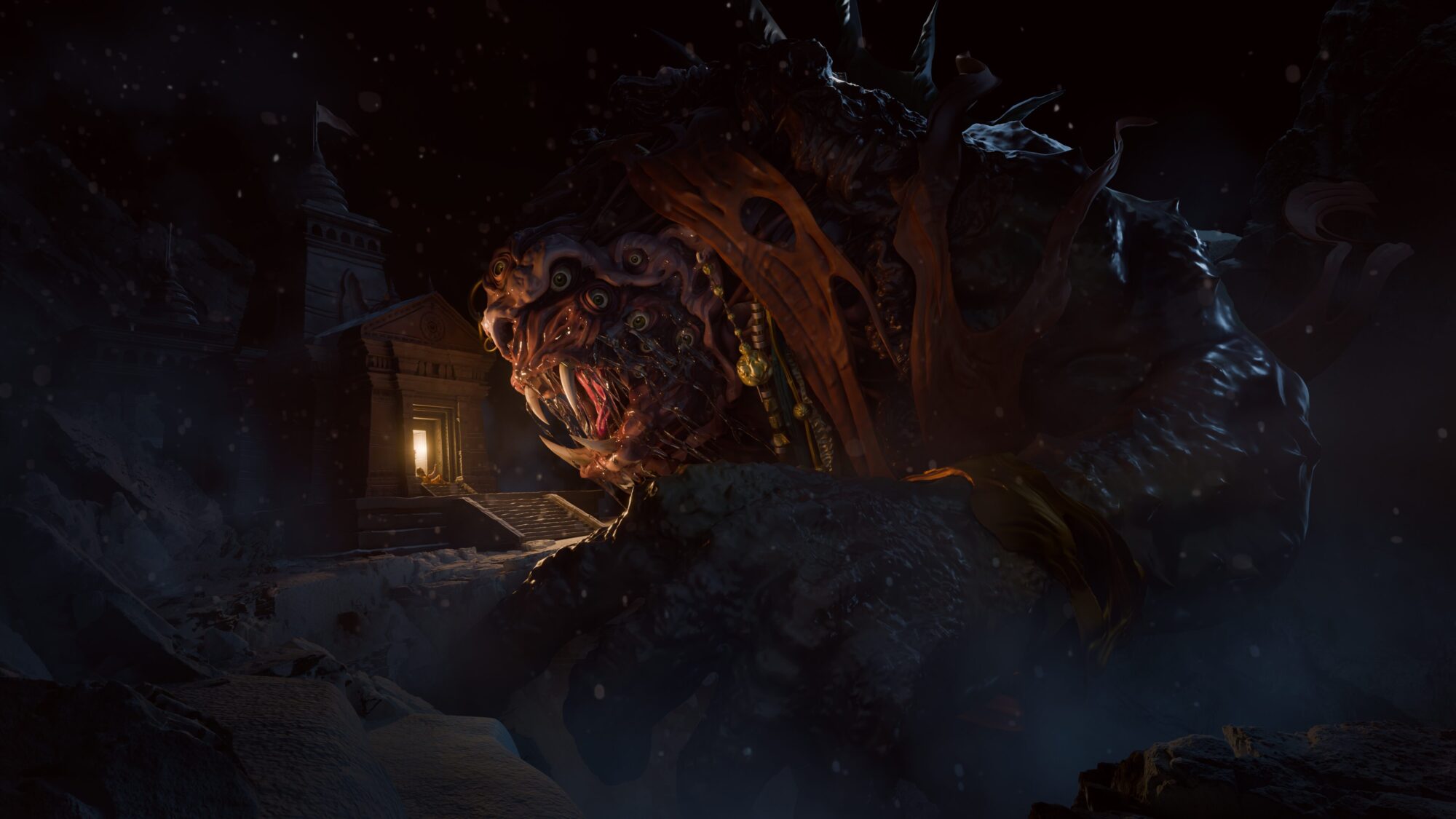
The Winning Project: "Echoes That Awoke the Cursed One"
Chandrashekhar says the concept for Echoes That Awoke the Cursed One was built around fear, consequence, and the idea that some mistakes leave scars that never truly fade.
“The story imagines a man who once sought power through a forbidden ritual driven by selfish intent. Instead of gaining what he desired, the ritual turned into a curse, stripping away his humanity and banishing him into the depths below. Over time, he becomes a monstrous presence shaped by suffering and regret.
Years later, on the darkest night of the year, another ritual begins above ground. The same dark energy echoes downward, reaching the one who was destroyed by it. Those echoes awaken him, not as a savior, but as an embodiment of consequence. His rise is fueled by anger and memory, a reaction to seeing the same mistake repeated again.”
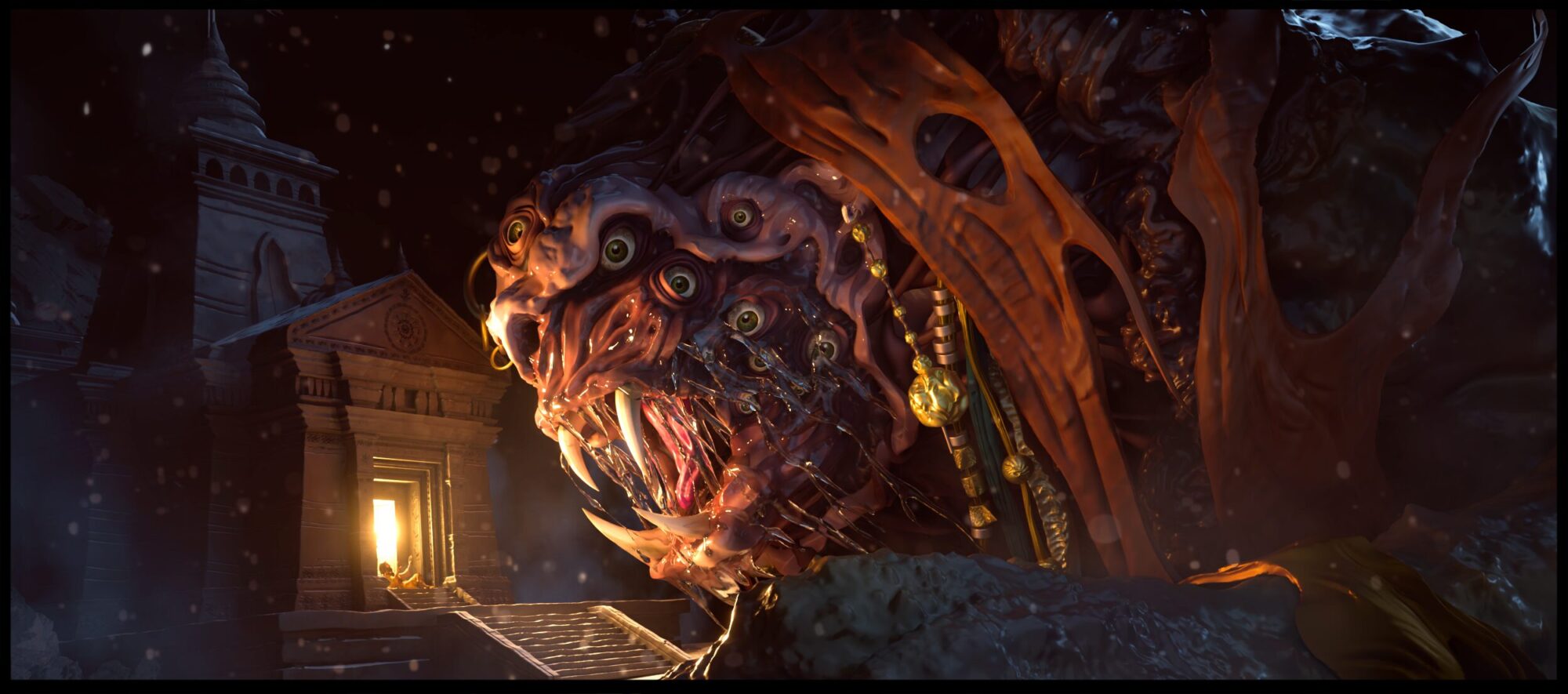
The jury was moved by the piece. Here are some of their comments:
"Very impressive. I like the fact the artist used shapelab for the organic sculpting and blender for the hard surface modeling of the building. Utilizing the strongest aspects of each software to create the best result. The lighting is great and the scale of the monster creates a strong composition."
"Excellent Presentation, Great storytelling and a really cool concept. The scale of the monster against the environment makes it something to be scared of. This piece properly captures the idea behind the darkest night and manages to tell a story clearly and effectively"
Technical Breakdown of the Workflow
Chandrashekhar’s process is a masterclass in using the right tool for the right job, blending the intuitive nature of VR with the precision of desktop software.
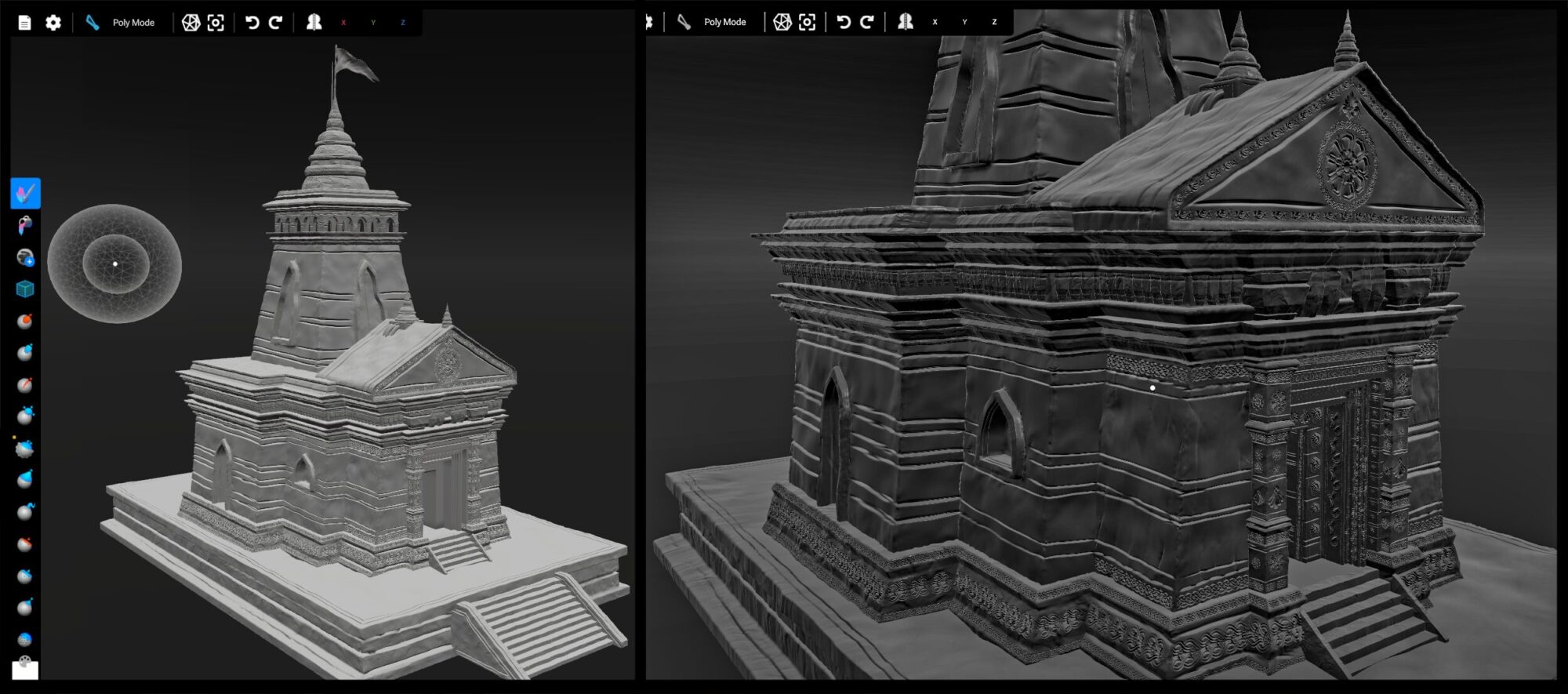
Shapelab
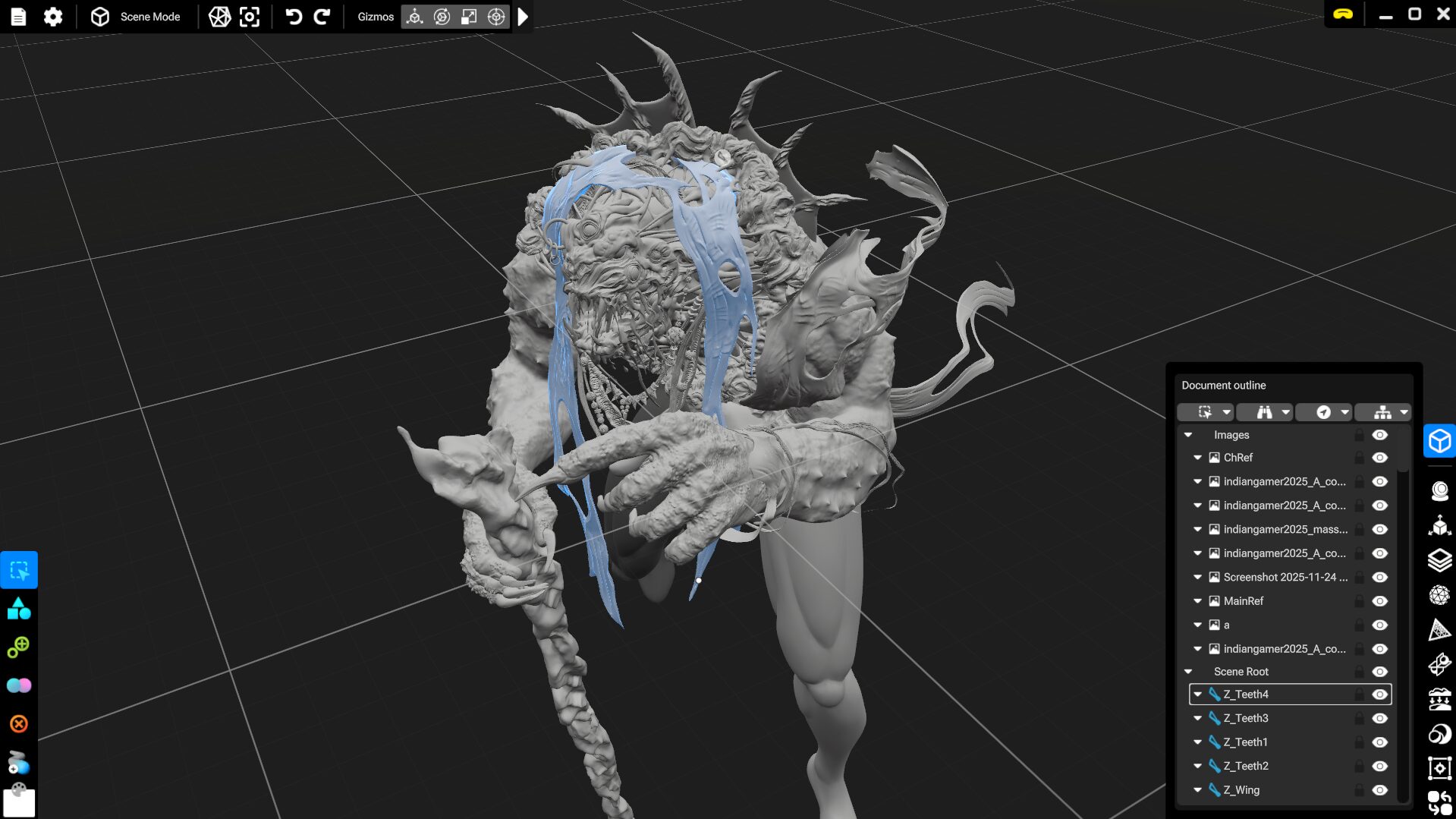
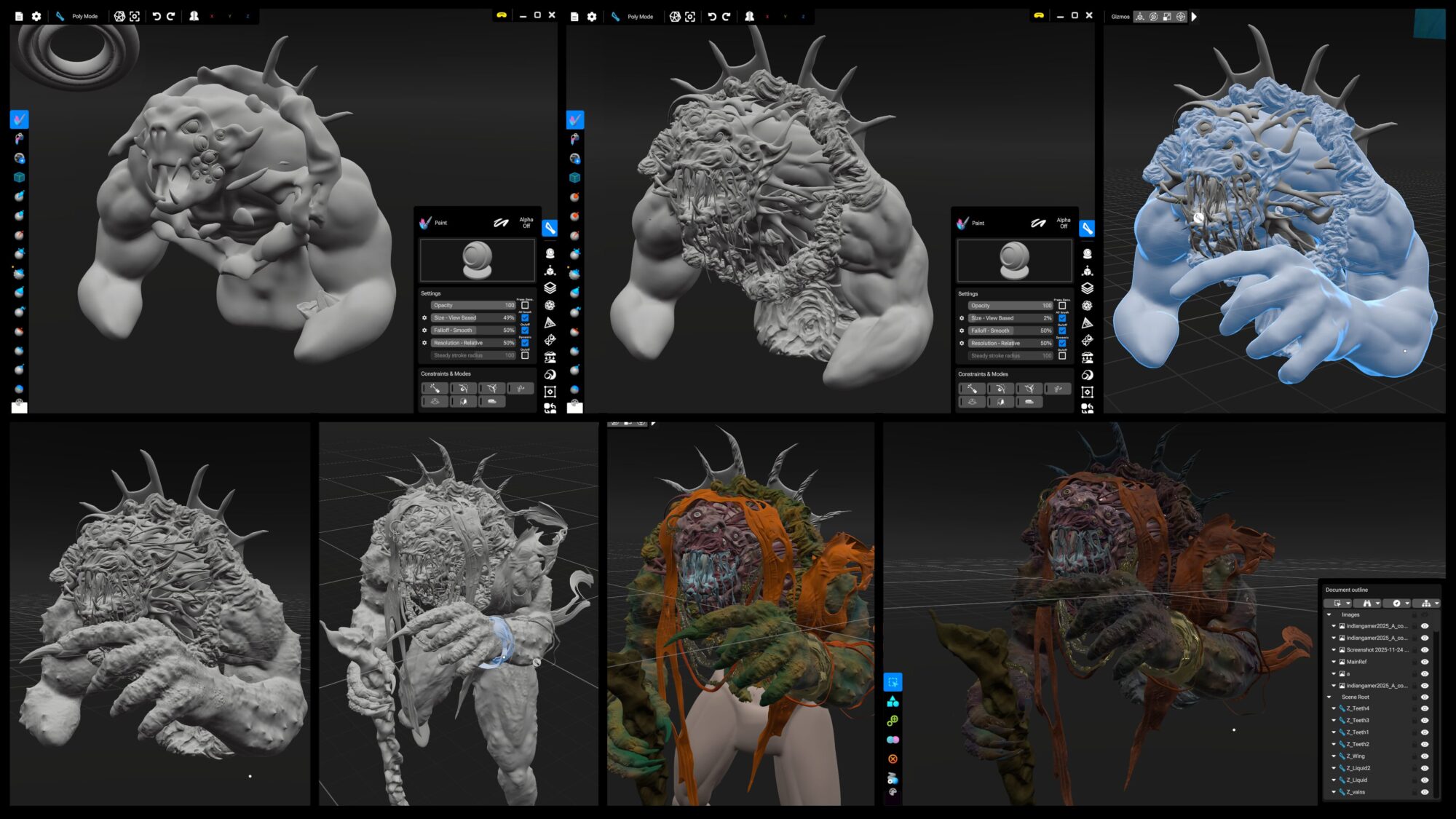
The “Cursed One” creature was sculpted and painted entirely in VR. Since this was the artist’s first project in Shapelab, he mainly relied on the core sculpting tools such as Standard, Clay, Move, Smooth, Crease, Pinch, and Regularize, along with a few alpha brushes to introduce surface variation and break uniformity. He also found the Tentacle tool particularly useful for quickly creating new shapes and extensions, which could then be refined and integrated into the sculpt. It allowed him to explore forms rapidly without interrupting the flow of sculpting.
Blender
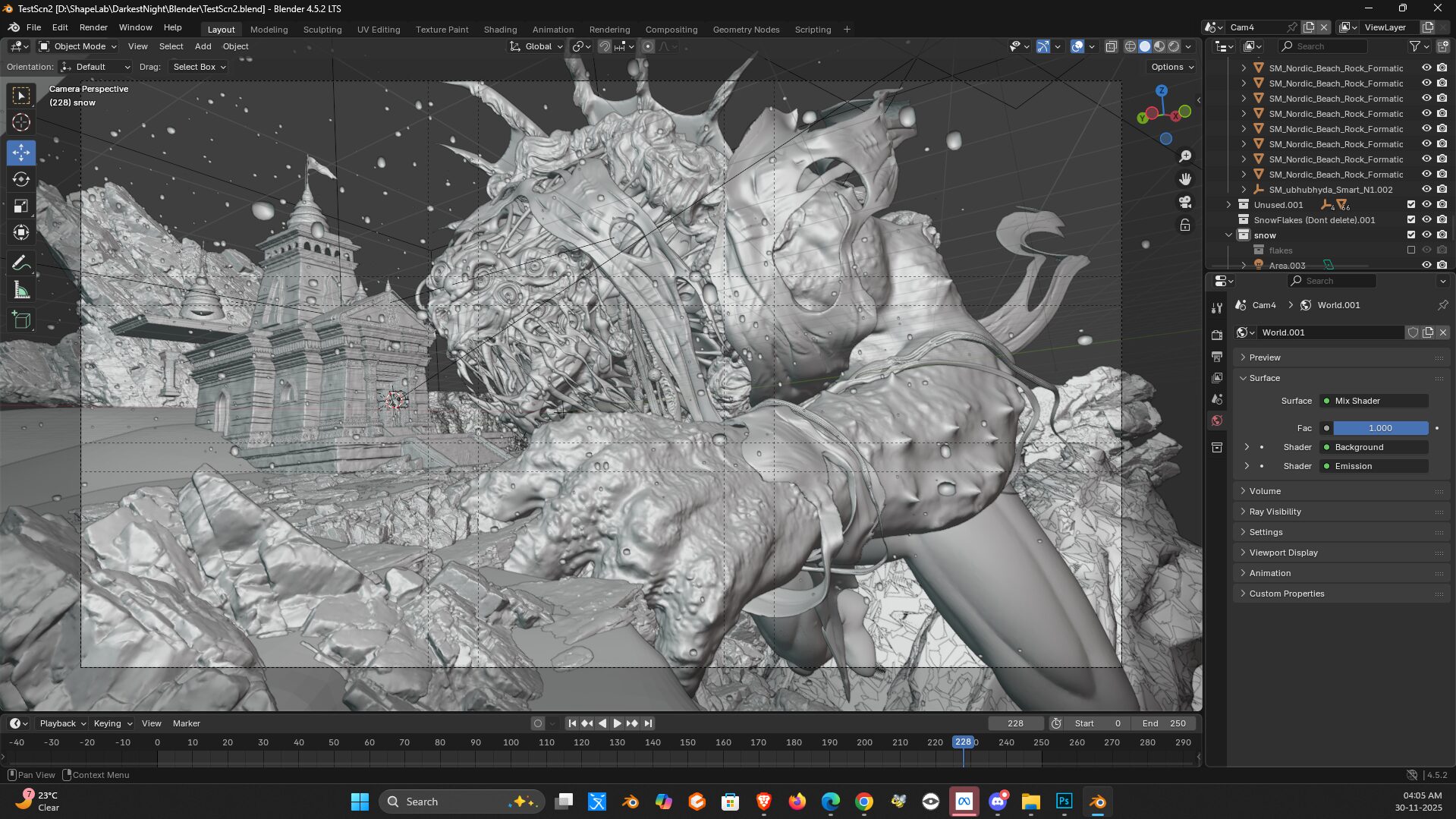
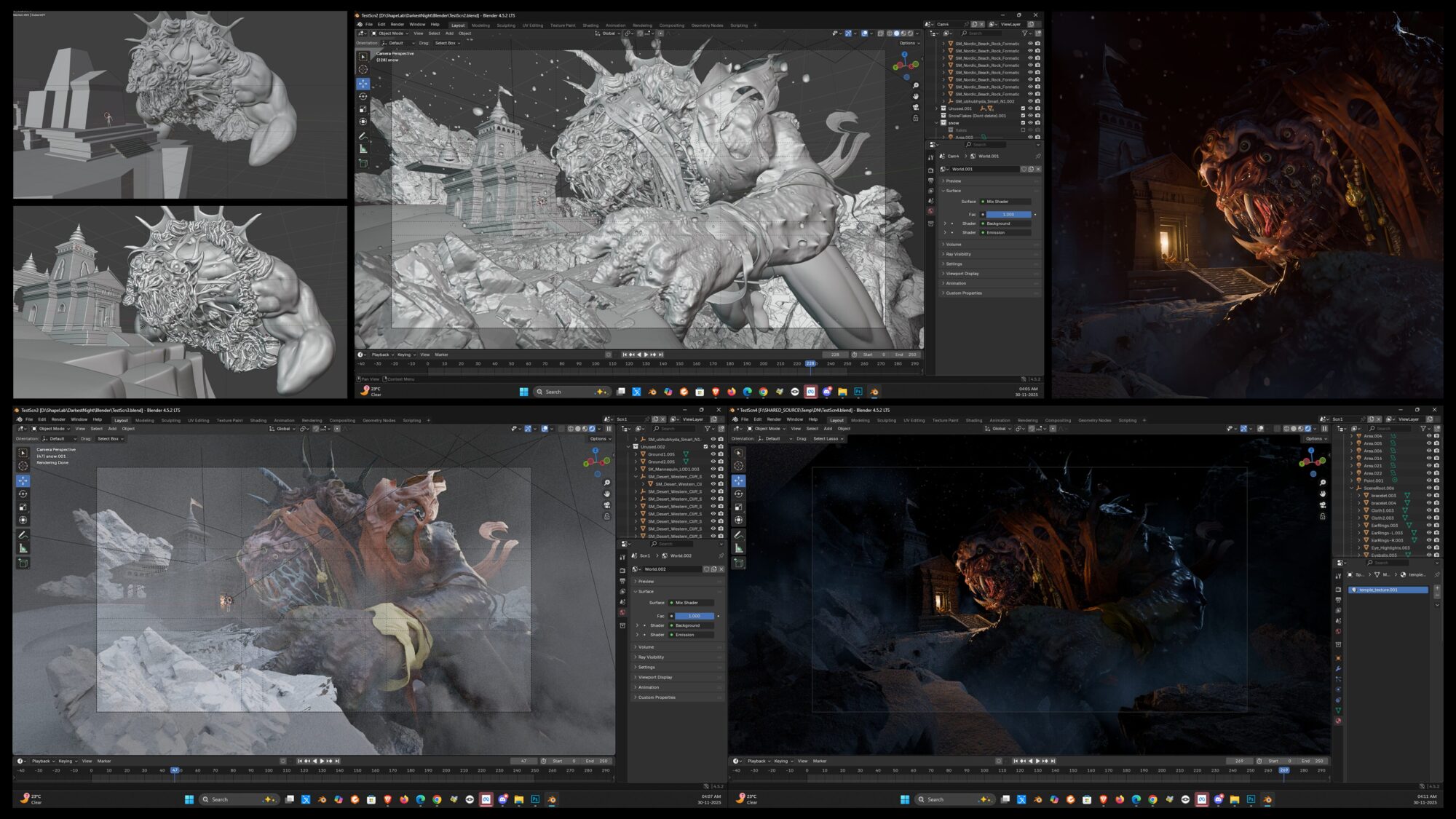
Blender was used for the initial “hard-surface” block-out of the temple and the modeling of the Sadhu. Once the high-detail sculpts were brought back from Shapelab, all assets were finalized in Blender, where he handled scene layout, lighting, snow effects, and the final render.
Unreal Engine
Before committing to the final render, Chandrashekhar used Unreal Engine to conduct lighting and scale tests. This allowed him to visualize how the monster’s massive silhouette would interact with the environment’s heavy atmosphere.
Photoshop
Minor color correction was applied with Photoshop.
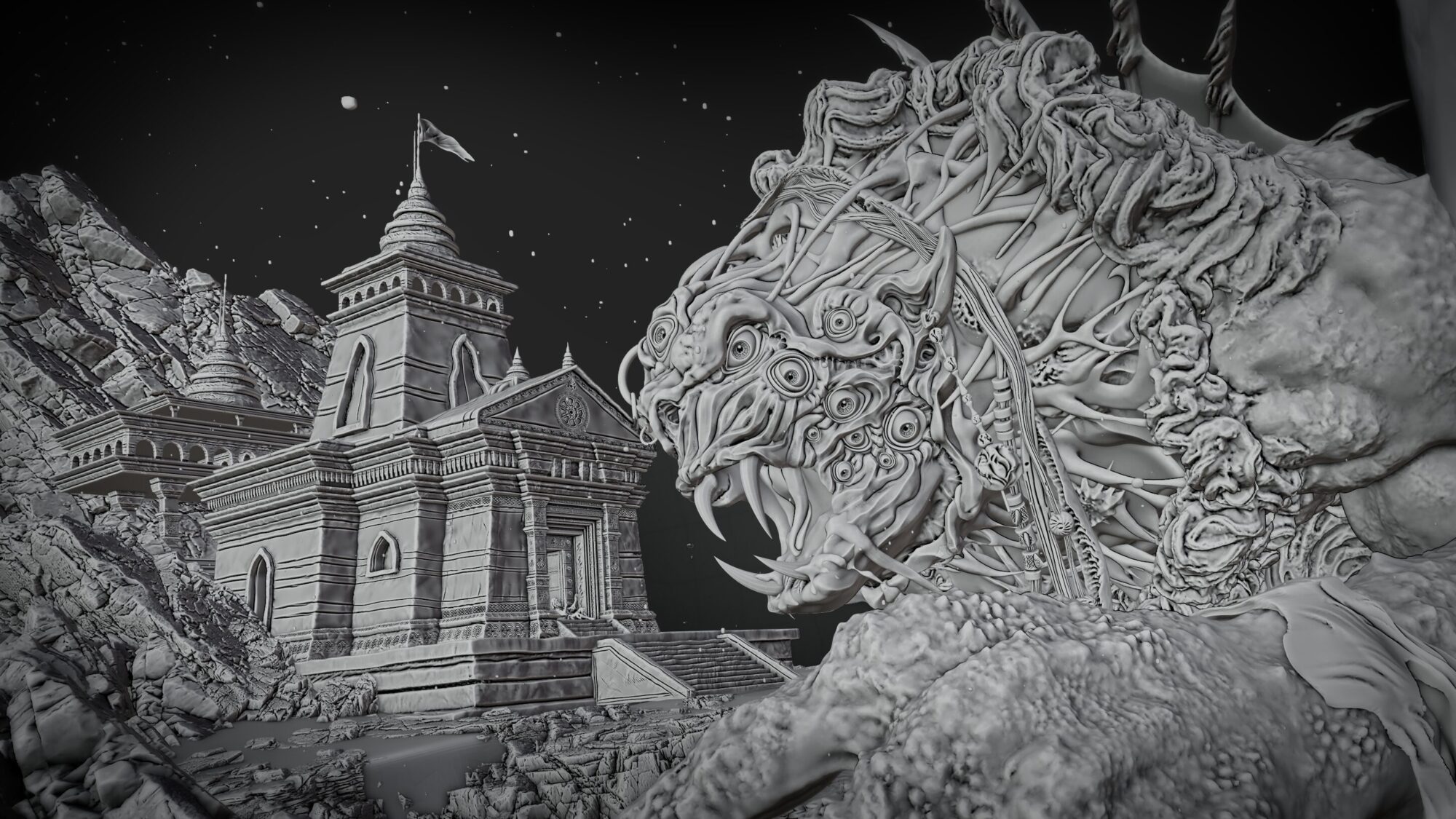
More Images of the Scene
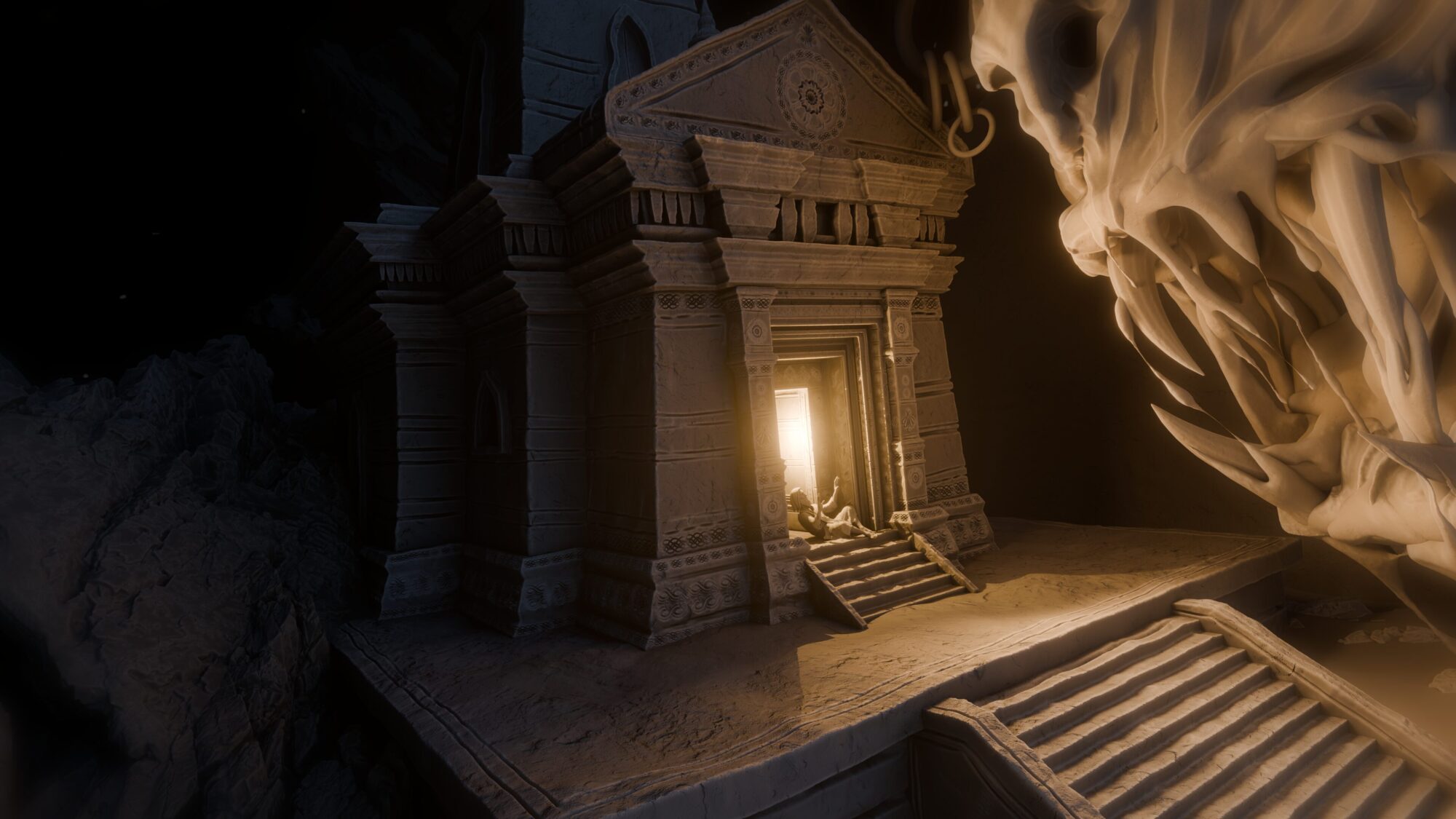
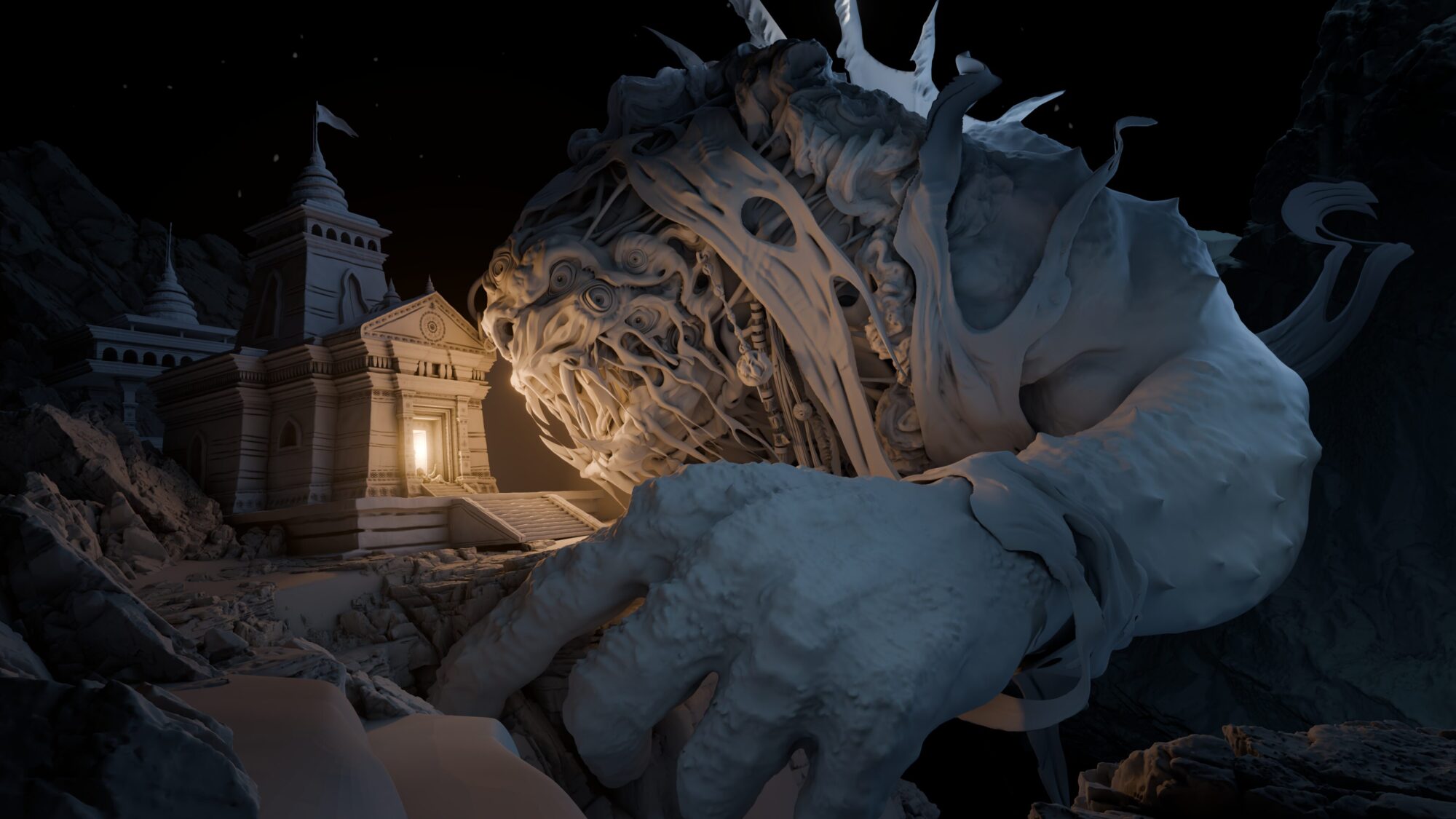
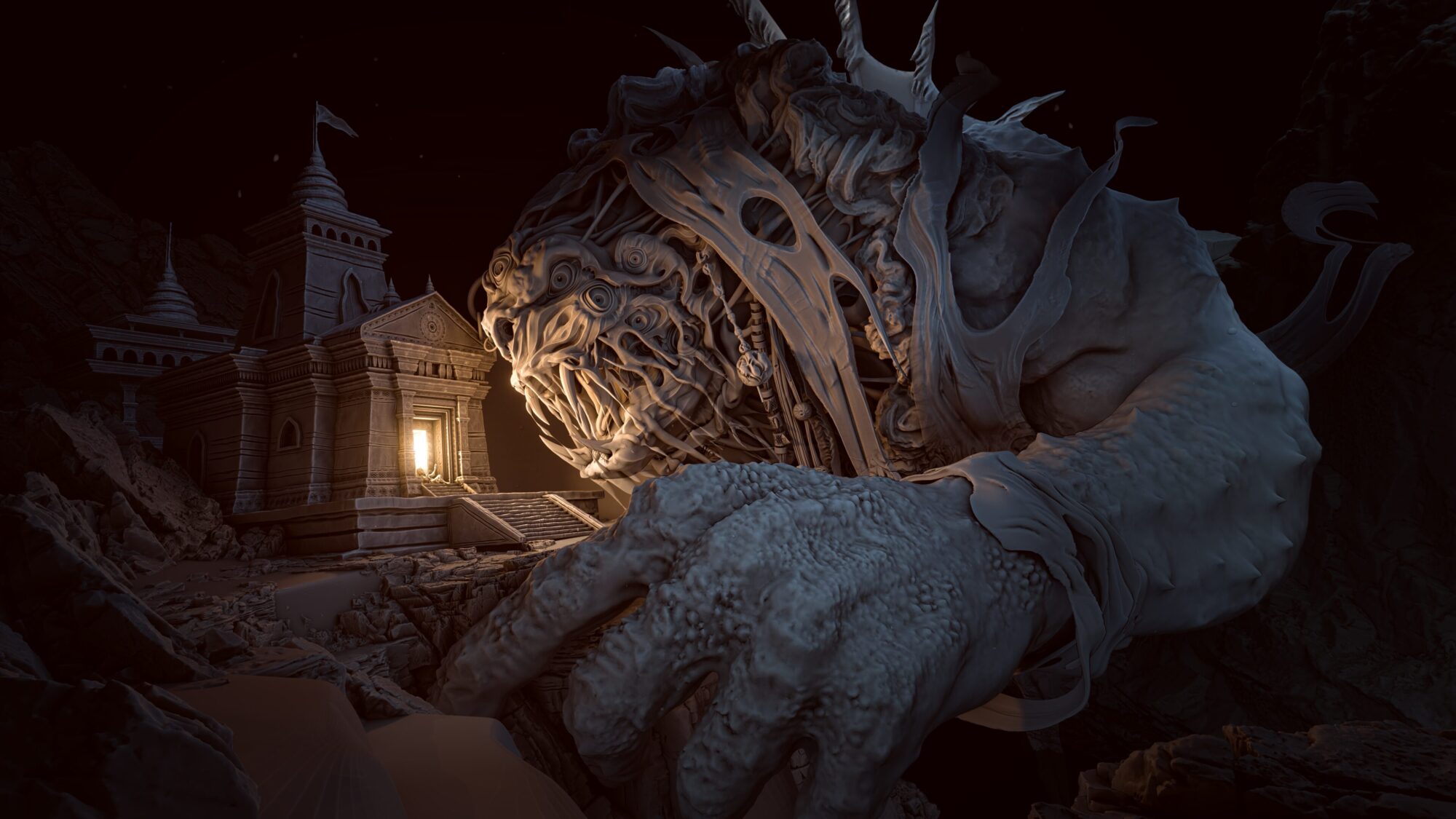
Artist Interview: A Deep Dive with Chandrashekhar Thakare
What is your background in 3D modeling, and when did you start using VR in your workflow?
“I have been working in 3D modeling and visualization for more than a decade, primarily focusing on form, scale, lighting, and storytelling across both commercial and artistic projects. Over time, my interest has shifted toward narrative-driven work where mood and emotion are as important as technical accuracy.
This project was my first experience using Shapelab, and also my first time sculpting in VR. I was learning the fundamentals of VR sculpting and Shapelab’s tools while simultaneously developing the final artwork, which made the process both challenging and creatively rewarding.”
How did you balance the use of Shapelab and Blender for this piece?
“The Cursed One creature was sculpted and painted entirely in Shapelab to achieve those expressive organic forms. The temple structure was initially modeled in Blender for its basic architectural form, then taken into Shapelab to add rock-like details, erosion, and surface breakup. Finally, everything was brought back into Blender for scene assembly, snow effects, and lighting. Sculpting in VR allowed me to judge proportions at scale as if they existed physically.”
Do you have any favorite tools in Shapelab?
“Since this was my first project in Shapelab, I mainly relied on the core sculpting tools such as Standard, Clay, Move, Smooth, Crease, Pinch, and Regularize, along with a few alpha brushes to introduce surface variation and break uniformity.
I also found the Tentacle tool particularly useful for quickly creating new shapes and extensions, which could then be refined and integrated into the sculpt. It allowed me to explore forms rapidly without interrupting the flow of sculpting.
What I appreciated most was how flexible these tools felt. Each artist can discover their own ways of using the same tool to achieve different results. Sometimes the most interesting outcomes come from using tools slightly beyond their intended purpose. In the end, the focus is not on how a tool is supposed to be used, but on whether it helps achieve the desired form and expression.”
Do you have any tips for a beginner in Shapelab?
“My main advice for beginners would be to not overthink the tools and focus on understanding form and scale first. Shapelab works best when you treat it as a space for exploration rather than perfection. Start with simple shapes, push proportions, and get comfortable moving around your sculpt to judge it from all angles.
It’s also important to accept that VR sculpting has a learning curve. Instead of trying to replicate a flat-screen workflow, allow yourself to adapt and experiment. Don’t worry too much about clean results in the beginning. Use the tools freely, even in ways they weren’t originally intended for, and focus on what helps you reach the visual result you want.
Most importantly, enjoy the process. The more relaxed and curious you are while sculpting, the faster you’ll develop your own techniques and visual language.”
Do you prefer 3D modeling in VR or on desktop?
“I don’t see VR and desktop modeling as competing approaches, but as complementary tools that serve different stages of the creative process. VR sculpting feels more natural for exploring form, scale, and presence, especially during early ideation and organic sculpting. Being able to move around a model in real space changes how you perceive proportions and volume.
Desktop tools, on the other hand, are essential for precision, structure, and final presentation. Tasks like clean modeling, detailed adjustments, scene assembly, lighting control, and rendering are still best handled on a flat screen.
That said, I’m hopeful that as VR technology continues to evolve, limitations such as fatigue and precision will be significantly reduced. When VR reaches a point where extended sessions are comfortable and precise modeling is as natural as sculpting in real space, I believe it will become a stronger and more intuitive option than a traditional 2D screen.”
About the Artist
Chandrashekhar Thakare is the Studio Head at VertexVeda3d, where he leads a specialized team in crafting high-end product visualizations and immersive 3D environments. With over a decade of industry experience and five years at the helm of his studio, Chandrashekhar has mastered the balance between technical realism and efficient workflow. His deep expertise is backed by a prestigious academic foundation, holding a Master of Fine Arts in Commercial and Advertising Art from the University of Mumbai. A passionate world-builder and environment designer, he continuously pushes the boundaries of storytelling.
Learn more about the artist:
- LinkedIn (Personal): https://www.linkedin.com/in/chandrashekhar-thakare/
- LinkedIn (Studio): https://www.linkedin.com/company/vertexveda3d/
- Instagram: https://www.instagram.com/vertexveda3d/
- Discord: vertexveda3d
- Artstation: https://www.artstation.com/vertexveda3d
Inspired to start your own journey in VR sculpting? Learn more about Shapelab and start creating your masterpieces today: